Entering The Kingdom...
Experience Lion CRMThe King of WhatsApp CRM 7 Days Free Limited Access
Request Access
Lion CRM
L I O N C R M

"Many have come, many have gone…

but the Lion was, is, and will

always be king."

The King of WhatsApp CRM

🚀 Official Extension
Chrome

Chrome Web Store

Verified Publisher • Free Download

Lion CRM — WhatsApp CRM

Chatbot, Bulk Message, AI Integration & More

Add to Chrome
Limited Time Offer

7 Days Free

Full Access Trial

"Experience the Lion CRM Kingdom. No credit card. No commitments. Just pure power."

💬

Get Your License Key

Contact us instantly

Rakshit Soni +91 9214996678
WhatsApp
Kuldeep Dadhich +91 7426038448
WhatsApp
💎 Pricing

Simple, Transparent Pricing For Whitelabel

One-time investment. Lifetime ownership. Your customers will never know you're reselling – they see only YOUR brand, YOUR panel, YOUR website link.

STARTER

One-Time Whitelabel: $100

Get started today, scale tomorrow

$ 2.50

per active user/month

  • All premium features included
  • Your own branded panel
  • Custom domain support
[Get Started →]
🔥 Most Popular

GROWTH

One-Time Whitelabel: $150

Lower costs, higher profits

$ 2.00

per active user/month

  • All premium features included
  • Your own branded panel
  • Custom domain support
[Choose Growth →]

ENTERPRISE

One-Time Whitelabel: $200

Maximum savings, unlimited power

$ 1.00

per active user/month

  • All premium features included
  • Your own branded panel
  • Custom domain support
[Go Enterprise →]
🛡️

Lifetime Ownership Guarantee

One-time investment. No hidden fees. Your brand, your customers, your profits.

HOW PRICING WORKS

Fee Type
What It Is
When You Pay
👑
One-Time License
$100 / $150 / $200
What It Is
Your whitelabel/reseller license. Pay once, own forever. No Renewals!
When You Pay Once at Purchase
👥
Per User Fee
$2.50 / $2.00 / $1.00
What It Is
Monthly charge based on your active users. More users = more revenue for you!
When You Pay Every Month
🌐
Webstore Setup
$100
What It Is
Optional. "Your brand name, logo, color, number & website link – all configured in the extension, not on server."
When You Pay Once (If Needed)
💡
Upgrade Anytime: Started with $100 plan and growing fast? Upgrade to $200 plan by paying just $100 more (the difference). Your per-user cost drops instantly!
🇮🇳 For Indian Customers
We use a fixed exchange rate: $1 = ₹100 (not live rates)
Plan One-Time License Per User/Month Webstore Setup
Starter ₹10,000 ₹250/user ₹10,000
Growth ₹15,000 ₹200/user ₹10,000
Enterprise ₹20,000 ₹100/user ₹10,000
>
Must Read
⚠️

Important Policy Notice

Minimum License Requirement for Partners

Whitelabel Partners Reseller Partners

The Requirements

Three Simple Rules to Stay Active

1

Grace Period

After account activation, you get 3 months to sell at least 30 user licenses. This is your initial period to start your business.

3 Months → 30 Sales
2

Monthly Requirement

After 3 months grace period, you must have at least 30 active user licenses every month to keep your account active.

Min. 30 Active Users
3

Non-Compliance

If you fail to meet the minimum requirement, your account and license will be permanently suspended. No recovery possible.

Permanent Suspension
🛡️

Why This Policy Exists?

This policy is implemented to prevent software piracy and unauthorized distribution. We have observed that some individuals purchase Whitelabel/Reseller licenses, create a few user accounts, and then crack and illegally distribute the software. This minimum license requirement ensures that only genuine business partners who are committed to legitimate sales remain in our ecosystem.

📞 Have questions? Contact our support team before purchasing.
🎬 Extension Demo

See Lion CRM In Action

Watch how our powerful Chrome extension transforms your WhatsApp into a complete business CRM.

Lion CRM Extension Demo
HD Quality
Lion CRM Demo
Watch Demo ⏱️ 5 min walkthrough

Subscribe to Our YouTube Channel

Subscribe
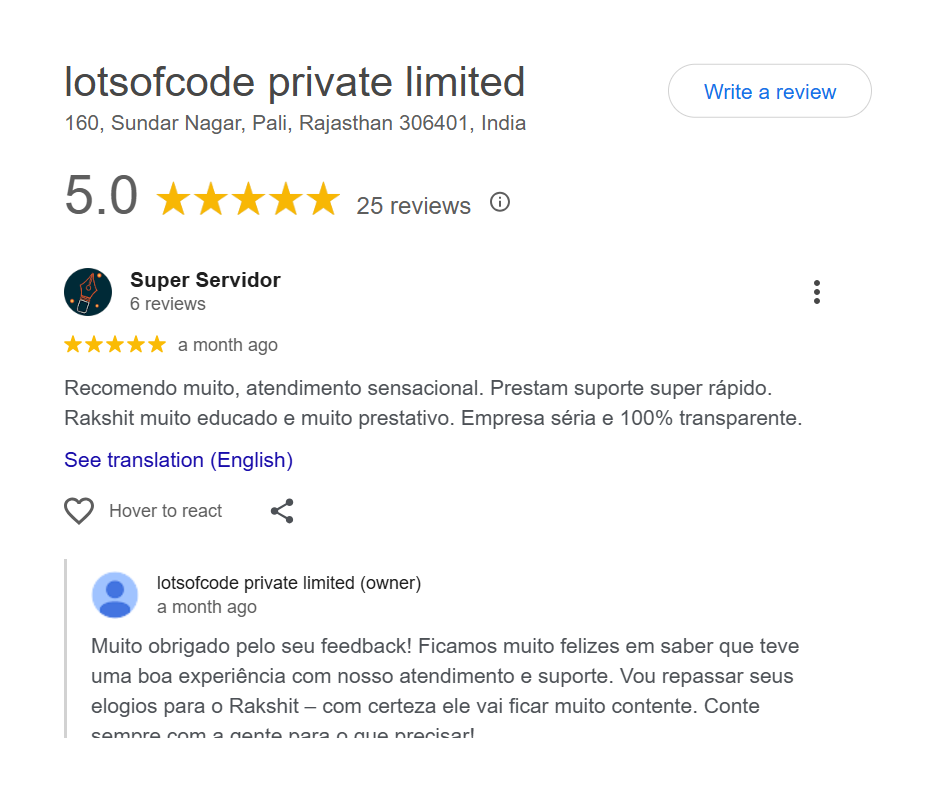
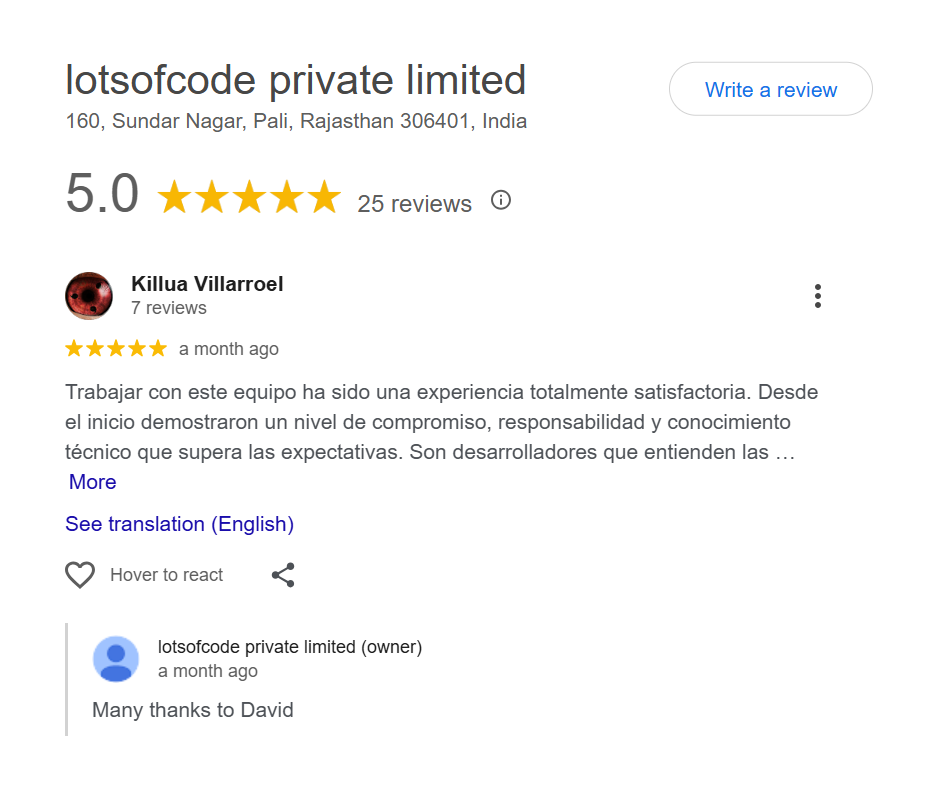
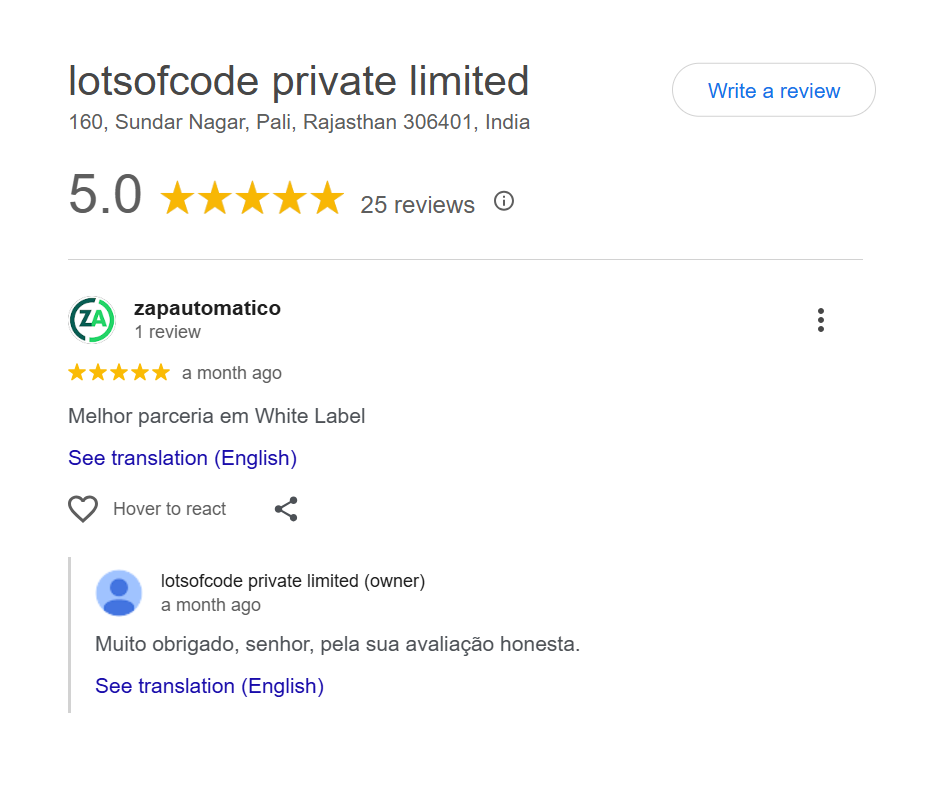
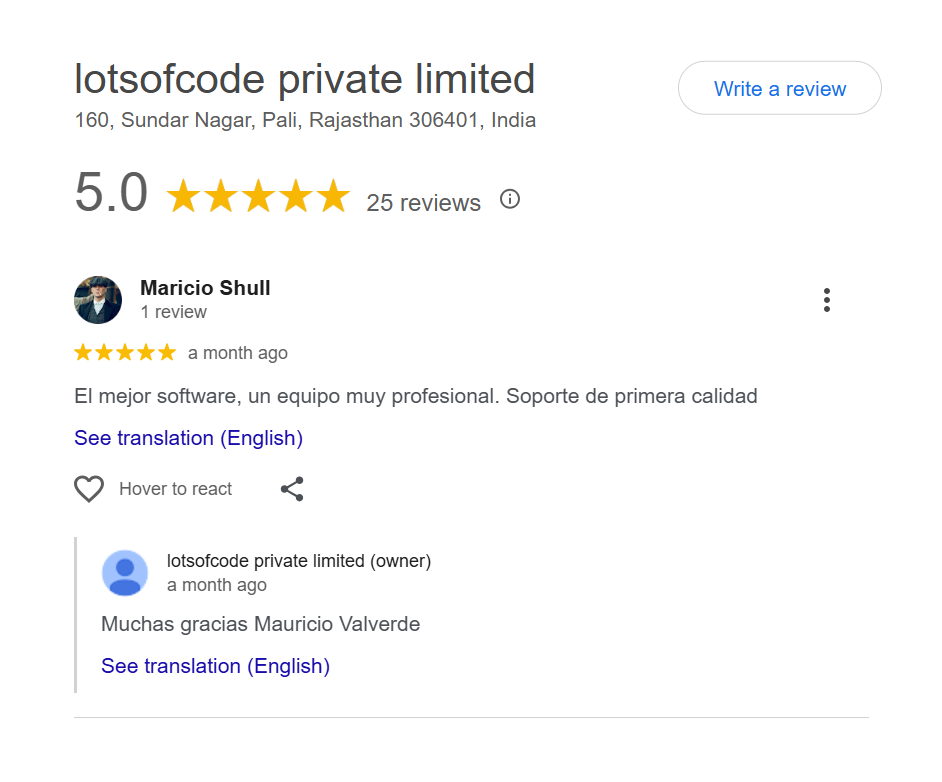
⭐ Customer Reviews

What Our Customers Say

Real feedback from real users. See why businesses trust Lion CRM for their WhatsApp communication.

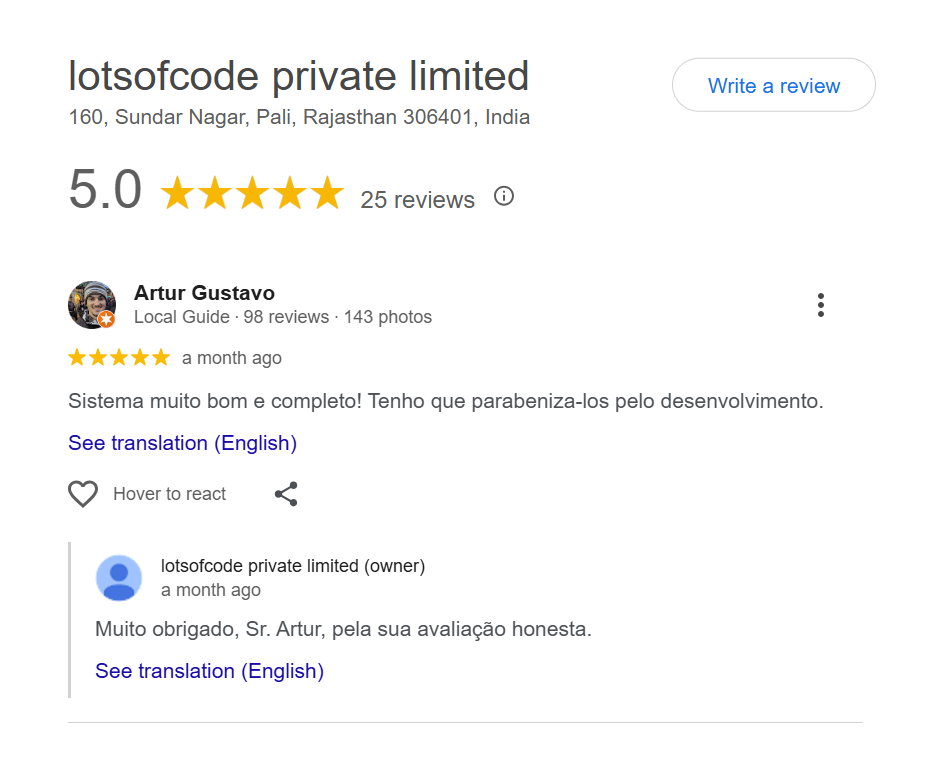
5.0 (25+ reviews)
Google Review
Google Review
Google Review
Google Review
Google Review
Google Review
Google Review
Google Review
Google Review
Google Review

Join 500+ happy businesses using our CRM

🚀 Start Your Journey

TYPE OF USERS

Understand the hierarchy: Whitelabel → Reseller → User. Our identity stays hidden from end users.

Top Level
👑

Whitelabel

For Business Owners & Agencies

💰 Pays directly to Lion CRM

Get your own branded CRM extension. Create and manage Resellers & Users from your dashboard. Full control over your business.

  • Own branding & extension
  • Create Resellers under you
  • Create Users directly
  • Full dashboard access
  • Set your own pricing
Mid Level
🏪

Reseller

For Distributors & Partners

💰 Pays to Whitelabel

Resellers can create user licenses under your whitelabel brand, set their own pricing, and manage users with full license control.

  • Own branding included
  • Create Users under you
  • Buy from Whitelabel OR direct
  • License control & analytics
  • Set your own user pricing
End User
👤

User

For Individuals & Companies

💰 Pays to Whitelabel or Reseller

User License allows access to the CRM software with features enabled by admin. They never see Lion CRM - only your brand!

  • Access to CRM software
  • Features based on plan
  • WhatsApp messaging tools
  • Contacts & chat management
  • Sees only YOUR brand

How The Hierarchy Works

🦁
Lion CRM
Platform Provider
👑
Whitelabel
Your Brand
🏪
Reseller
Your Partners
👤
User
End Customer
🏪 Reseller can buy from Whitelabel
👑 Whitelabel can create Users directly (skip Reseller)
🔒
Our Identity is Hidden: End users will never see "Lion CRM" - they only see your Whitelabel or Reseller branding. You can add your own profit margins on top of our pricing.
Authorized Partner

Official Whitelabel Certificate

Become an Authorized Lion CRM Reseller

Every reseller receives an Official Whitelabel Certificate proving you are an authorized partner to sell and distribute Lion CRM under your own brand. Build trust with your customers from day one.

⚙️ Backend Panels

Powerful Admin Dashboards

Whitelabel and Reseller get dedicated backend panels. Users receive extension with license key.

Lion CRM Backend Panel Demo

📺 Complete Walkthrough: See how panels work

🔐 Secure dashboard access • Manage licenses & branding

👑

Whitelabel Dashboard

Full Admin Control
  • Add License
  • 📋 All User Licenses
  • Add Reseller
  • 📋 All Resellers
  • 🎨 Change Logo, Color & Branding
🏪

Reseller Dashboard

Partner Control
  • Add License
  • 📋 All User Licenses
  • 🎨 Change Logo, Color & Branding
👤

User Experience

No Backend Needed
  • 💳 Payment Complete
  • 📦 Receive Extension File
  • 🔑 Receive License Key
  • 👤 View Profile in Extension
  • 📅 Check License Expiry
💡

Important Information

🖥️

Hosted by UsNo server setup required

🎨

Your BrandingLion CRM stays hidden

🔑

License SystemGenerate unlimited keys

📱

Easy for UsersInstall + activate

⚡ Features

Powerful Features

Everything you need to supercharge your WhatsApp business. Automation, AI, bulk messaging, and much more!

🤖 WhatsApp AI Chatbot

AI Bot

The most powerful WhatsApp AI chatbot that handles customer conversations automatically. Set up your business context, schedule replies, book appointments, and let AI do the work — your personal assistant that works while your browser is open!

⚡ Step 1: Setup

Insert Your AI API Key

To activate the WhatsApp AI chatbot, navigate to Settings → Insert AI API Key. Choose your preferred AI provider, paste your API key, and enable AI Tools. The AI Bot icon will instantly appear in your top toolbar!

Gemini AI
ChatGPT
DeepSeek
  • 3 AI Providers — Gemini, ChatGPT, or DeepSeek
  • Use your own API key for full control
  • Switch between providers anytime you want
WhatsApp AI Chatbot API Key Setup - Insert ChatGPT, Gemini or DeepSeek API Key in Lion CRM
🔑
API Status
Validated ✓
AI Tools
Enabled
💬 Step 2: Test

Talk to AI

Before deploying your WhatsApp auto reply bot, test it first! Use the "Talk to AI" feature to see exactly how your AI chatbot responds. Check response quality, tone, and accuracy before going live.

  • Real-time testing — chat with AI instantly
  • See how AI understands your business prompt
  • Fine-tune responses before automation
  • Test different scenarios and questions
Talk to AI - Test WhatsApp AI Chatbot Before Going Live in Lion CRM
🧪
Mode
Testing
📝 Step 3: Configure

Prompt Settings

The brain of your WhatsApp AI chatbot! Configure business prompt to define your company's tone, products, and guidelines. Set up action prompts for updating profiles, creating appointments, and more.

  • Business Prompt — Define your brand voice & context
  • Fallback Reply — When AI can't understand
  • Action Prompt — Auto update tabs & profiles
  • Custom Instructions — Add specific AI behaviors
  • General Knowledge — Allow AI to use external info
WhatsApp AI Chatbot Business Prompt Settings - Configure AI Response Behavior in Lion CRM
🎯
Prompt
Configured
Actions
5 Active
📅 Step 4: Appointments

AI Appointment Booking

Let your WhatsApp AI chatbot book meetings automatically! Paste your Google Meet link, set office hours, and define your prompt — AI will handle appointment scheduling based on your custom instructions.

  • Google Meet Integration — Paste your meeting link
  • Office Hours — Book within working hours only
  • Meeting Templates — Custom appointment messages
  • Custom Prompt — Define how AI handles bookings
  • Smart Replies — AI responds based on your instructions
WhatsApp AI Bot Appointment Booking with Google Meet Integration - Schedule Meetings Automatically
📅
Meeting
Booked!

More Powerful Features

🤖

Enable AI Bot

Turn on WhatsApp auto reply for incoming messages. Control if AI should respond in group chats or only private conversations.

💬
Auto Reply
👥
Group Chats
🧠
General Knowledge
Instant Mode

Enabled Actions

Choose what your AI chatbot can do automatically — send replies, update tabs, create appointments, and update contact profiles!

WhatsApp AI Bot Enabled Actions - Auto Update Tabs, Create Appointments, Update Profiles
⏱️

Reply Timing

Add random delays to make AI replies feel more natural and human-like. Set how many previous messages AI should read for context.

🎲
Random Delay
📜
Message History
🔄
Context Flow
👤
Human Feel
📆

Schedule Bot Replies

Enable your WhatsApp automation bot to reply only on specific days and times. Set timezone, enable/disable weekdays or weekends, and configure custom hours for each day!

🌍
Timezone Selection
📅
Day-wise Control
Start & End Time
🔘
Quick Toggle
WhatsApp AI Bot Schedule - Enable Bot Reply on Specific Days and Times with Timezone Support
🛑

Stop Keywords & Smart Detection

Let users stop bot replies by typing a keyword. Plus, smart frustration detection automatically pauses AI when user seems annoyed!

🔑
Stop Keywords

User types keyword (e.g., "STOP") to disable bot for that chat

🧠
Smart Detection

AI automatically detects frustrated users and pauses replies

👤
Human Handoff

Seamlessly transfer to human agent when needed

💬
"AI Bot has been disabled for you. A human agent will assist you shortly."
WhatsApp AI Bot Stop Keywords - Smart Frustration Detection and Human Handoff Feature
💡
Important: Browser-Based Extension
Lion CRM is a Chrome extension, not a cloud-based service. The AI Bot works only when your computer is ON and WhatsApp Web tab is active in your browser. Keep the tab open for uninterrupted automation!
🎯
Smart Automation, Human Touch
Lion CRM's WhatsApp AI chatbot combines intelligent automation with customizable delays, business context, appointment booking, and smart detection to deliver responses that feel personal and authentic — not robotic! Works seamlessly as long as your browser and WhatsApp Web tab are active.
🔀 WhatsApp Chatbot Builder

Chatbot Flow

Build powerful WhatsApp auto reply sequences without any coding! Create rule-based automation flows with triggers, conditions, and actions — the ultimate WhatsApp flow builder for your business.

Rule-Based Automation

Unlike AI Bot which uses artificial intelligence, Chatbot Flow lets you create custom automation rules based on specific triggers and conditions. Perfect for WhatsApp keyword auto reply, label-based actions, and CRM automation. Set it once, let it run forever!

Trigger-Based 🏷️ Label Rules 📋 CRM Actions 🔄 Reactivation Scheduled
WhatsApp Chatbot Builder - Rule-Based Automation Flow Dashboard in Lion CRM
🔀
Flows Active
Rules Running

Powerful Flow Features

Flow Triggers

Define when your WhatsApp automation flow should activate.

Triggers
When any message is received. i
When the message contains keywords. i
lion crm interested ×
First message from the customer of the day. i
First message ever i
Reactivation interval: i
Minutes
🎯

Action Blocks

Choose what happens when a flow triggers in your WhatsApp automation.

Action blocks (13)
💬
Send Text
🖼️
Send Image
🎥
Send Video
🔊
Send Audio
📄
Send Document
💬
Responses
📋
Send List
👥
crm.group_action
📁
crm.tab_action
🏷️
crm.label_action
📊
crm.crm_action
crm.smart_wait
⌨️
crm.typing_indicator
📋

General Rules

Control response behavior with smart rules for groups and timing.

Rules
Allow responding to groups i
Allow responses only on specific days and times i
Do not respond if the conversation is open i
Customize or disable the signature i
Simulate typing or recording audio i
📊

CRM Rules

Filter responses based on CRM contact status.

Rules
Do not respond if the contact is in a CRM i
Do not respond to CRMs i
Respond only to CRMs i
🏷️

Label Rules

Filter responses based on contact labels.

Rules
Do not respond if the contact is labeled i
Do not respond to labels i
Respond only to labels i
📁

Custom Tab Rules

Filter responses based on custom tabs.

Rules
Do not respond if the contact is in custom tab i
Do not respond to custom tabs i
Respond only to custom tabs i
⚙️

Global Settings

Configure away message, waiting time, and block intervals for your flows.

Global settings:
When the WhatsApp page is reloaded, this setting will be lost for conversations that are waiting for a response
Minutes

This message will be sent automatically when the user does not respond within the specified time.

Minutes
📦

Import & Export Flows

Save your WhatsApp automation flows and reuse them anytime! Export your configured flows as backup, or import pre-built flows to get started instantly. Perfect for sharing flows across multiple accounts.

📤 Export 📥 Import
🧪 Test Before Deploy

Chat Simulator

Don't guess — test your chatbot flow before it goes live! The built-in simulator lets you preview exactly how your automation will respond to different messages.

💬 Send test messages
👁️ Preview responses
🔄 See flow execution
Verify before live
💬 Chat simulator

i am interested in lion crm.

05:51 PM

Hi 👋 Thanks for your interest in Lion CRM.
You can either buy a Lion CRM plan directly or start with a free trial first.

1. 👉 Go to Buy Plan
2. 👉 Start Free Trial

05:52 PM

2

05:52 PM

Perfect 👍
We will activate your 7-day free trial license on this number.

05:52 PM

How It Works

1
Set Trigger
Choose when flow should activate
2
Add Conditions
Define rules & filters
3
Choose Actions
Select what happens next
4
Activate Flow
Let automation do the work!
🚀
AI Bot + Chatbot Flow = Complete Automation
Use AI Bot for intelligent, context-aware conversations and Chatbot Flow for rule-based automation. Together, they create the most powerful WhatsApp automation system — handling everything from smart replies to complex CRM workflows!
📤 Core Feature

Bulk Messaging

Send personalized WhatsApp messages to thousands of contacts in minutes. Lion CRM's Bulk Messaging feature lets you import contacts via CSV, groups, labels, tabs, or Kanban boards—giving you complete flexibility. Create reusable templates with dynamic variables, set smart pause intervals between messages to protect your account, and send multiple campaigns simultaneously. Track everything with detailed campaign reports showing delivery status, failed messages, and complete history.

  • CSV Upload
  • Smart Pause
  • Campaign Reports
  • Export Contacts
Bulk Messaging Feature
📊

Campaign Analytics

Real-time tracking

10,000+ Messages

Sent in minutes

Bulk Warning Box Preview
⚠️

⚡ Important: Use At Your Own Risk

Bulk messaging is powerful but comes with risks. WhatsApp may block or ban your number if you violate their guidelines. Always follow WhatsApp's Terms of Service to stay safe.

  • ⏱️ Set Proper Delays: Use 30-60 second intervals between messages
  • 📊 Start Small: Begin with 50-100 messages/day, increase gradually
  • 🚫 Avoid Spam: Only message contacts who know you or opted in
  • 📱 Use Aged Numbers: New numbers get blocked faster than older ones
  • Quality Over Quantity: Personalized messages get better results and fewer reports!
📑 Organization

Custom Tabs

Organize your WhatsApp conversations like never before with Lion CRM's Tabs feature. Create custom tabs to categorize and manage your chats effortlessly. Add individual chats, entire groups, or labeled contacts directly into any tab for seamless organization. Whether you're managing leads, support queries, or VIP clients—100% of your contacts will be added without any limits. Stay organized, stay productive.

  • Custom Categories
  • Group Management
  • 100% Contact Sync
Tabs Feature
📁

Unlimited Tabs

Organize freely

📝 Productivity

Message Templates

Create powerful reusable message templates with Lion CRM's advanced Template feature. Choose your template purpose—whether it's for one-to-one chats, tabs, groups, labels, Kanban boards, or quick replies. Customize your template type: Message Only, Message + Image/Video, Message + Documents, Message + Audio, Message + Contacts, Message + Polls, Message + List, or Message + Product. Build once, use everywhere.

  • Rich Media Support
  • Dynamic Variables
  • Polls & Products
  • Multi-Purpose
Templates Feature
🎨

8+ Template Types

For every need

⚡ Speed

Quick Reply

Respond to customers in seconds with Lion CRM's Quick Reply feature. Create quick replies directly from the Template section or instantly from the chat screen—accessible right at the bottom of your conversation window for maximum convenience. Choose from multiple reply types: Message Only, Message + Image/Video, Message + Documents, Message + Audio, Message + Contacts, Message + Polls, Message + List, or Message + Product. Deliver consistent, professional replies with just one click.

  • One-Click Access
  • In-Chat Toolbar
  • All Media Types
Quick Reply Feature
💬

Instant Replies

Save 80% time

📋 Pipeline

Kanban Board

Visualize and manage your sales pipeline effortlessly with Lion CRM's Kanban Board feature. Access the menu to switch between Dark Mode and Light Mode for comfortable viewing. Create and manage WhatsApp labels and custom tabs directly from the menu. Build new CRM boards using the New CRM option to track different projects. Add custom stages with the New Stage option to match your unique sales process—from lead capture to deal closure.

  • Drag & Drop
  • Custom Stages
  • Dark/Light Mode
  • Multiple CRMs
Kanban Board Feature
🎯

Visual Pipeline

Track every deal

📅 WhatsApp Meeting Scheduler

Smart Calendar

The ultimate WhatsApp appointment booking and task management solution. Schedule meetings, track appointments, manage to-do lists, and never miss a follow-up — all from one powerful WhatsApp task manager!

📆

Visual Calendar

View and manage your complete appointment list in one place. Track schedules using the visual calendar and stay on top of tasks with smart reminders. Organize your day, week, or month effortlessly.

📋
Complete Appointment List
👁️
Day / Week / Month View
🔔
Smart Reminders
🎯
Centralized Scheduling
WhatsApp Meeting Scheduler - Visual Calendar with Appointment List and Smart Reminders in Lion CRM
✨ NEW

To-Do Task List

Introducing the all-new WhatsApp to do list feature! Create tasks with titles, descriptions, due dates, priorities, and categories. Add sub-tasks, set recurring schedules, and get reminders via browser notification or WhatsApp.

📝
Title & Description
Due Date & Time
🔥
Priority Levels
🔗
Link with Contacts
WhatsApp To Do List - Task Manager with Priority, Categories and Due Dates in Lion CRM

Complete Task Management

Everything you need to manage tasks, set priorities, and stay productive with the most powerful WhatsApp task manager available.

📝
Title & Description
Add detailed task info
📅
Due Date & Time
Set deadline for tasks
🔥
Priority Levels
High, Medium, Low
🏷️
Categories
Organize by type
📂
Sub-Tasks
Break down big tasks
🔄
Recurring Tasks
Auto-repeat schedules
🔔
Smart Reminders
Never miss deadlines
👤
Contact Linking
Connect to WhatsApp
Priority
🔴 High 🟡 Medium 🟢 Low
Categories
💼 Work 👤 Personal ⚡ Urgent 🛒 Shopping 💚 Health
🔔
Browser Notification Get desktop alerts
💬
Self WhatsApp Reminder Send reminder to yourself
📝 Add Task - Title & Description
WhatsApp Task Manager - Add To-Do Task with Title, Description and Due Date
🔔 Reminder & Contact Linking
WhatsApp Appointment Booking - Task Reminder with Contact Linking Feature
🎯
Your Complete Productivity Hub
Smart Calendar combines WhatsApp appointment booking, visual calendar, and the new to-do task manager into one powerful feature. Schedule meetings, track tasks, set reminders, and link everything to your WhatsApp contacts — stay organized and never miss a follow-up!
👤 CRM

Profile Chat

Get complete control over every conversation with Lion CRM's Profile-Chat feature. Access the CRM button at the top of each chat for instant profile management. View and edit full profile details, check which Tabs the chat belongs to, add Notes to capture important details, set Reminders for follow-ups, track Appointments, record Income from customers, and log Expenses—all in one place.

  • Profile & Notes
  • Reminders
  • Appointments
  • Income/Expense
Profile Chat Feature
💰

Track Revenue

Per customer

🔧 Tools

Chat Toolbar

Communicate smarter with Lion CRM's powerful Chat Toolbar available at the bottom of every conversation. Set your preferred Tone and Language once—then type in your native language and instantly Translate messages with one click. Use Summarize to condense long messages, Enlarge to expand brief texts, switch to Friendly tone for casual chats, or go Formal for professional communication. Transform how you write—faster, smarter, and in any language.

  • Auto Translate
  • Tone Switcher
  • Summarize/Enlarge
Chat Toolbar Feature
🌐

Multi-Language

One-click translate

✅ Number Validator

Bulk Number Validator

Stop wasting messages on invalid numbers! Lion CRM's Bulk Number Validator checks your entire contact list and filters out numbers that don't have WhatsApp. Simply upload your CSV file, and we'll identify which numbers are active on WhatsApp—keeping your campaigns clean and effective.

⚠️
Why is this important? When you send bulk messages to non-WhatsApp numbers, WhatsApp detects automated behavior and may block your account. Validating numbers first keeps you safe!
📋

CSV File Upload

Upload your number list in CSV format - one number per line or comma separated

Instant Validation

Quickly identify which numbers have WhatsApp and which don't

🛡️

Account Protection

Reduce ban risk by only messaging verified WhatsApp numbers

📊

Campaign Management

Create multiple validation campaigns and track results

Valid Numbers Ready to message
Invalid Filtered Auto removed
🛡️
Account Safe No ban risk
Bulk Number Validator
Create New Campaign
Choose File No file chosen
CSV file with phone numbers (one per line or comma separated)
847
Valid
153
Invalid
1000
Total
Campaigns (0)
📊
No campaigns yet. Create one to start validating numbers.
📱 Status Feature

WhatsApp Status Automation

Take your marketing to the next level with Lion CRM's Status Feature. Create and post Text, Image, or Video statuses directly from your CRM. Choose custom background colors, write engaging content, and decide when to post—instantly, scheduled, or auto-repost every 24 hours. Stay visible, stay remembered!

🎨

Multiple Status Types

Text, Image, or Video - choose what suits your message

🎯

Custom Background Colors

Pick any color to make your status stand out

Smart Scheduling

Post now, schedule later, or auto-repost every 24 hours

📊
24h Auto Repost enabled
🎨
Custom Colors Brand matching
Instant Post One click away
⏱️
Create Status
📝 Text
🖼️ Image
🎬 Video
0/700
Choose a background color
#EF4444
Click to change color
Post Now
Schedule the status
Repost the status every 24 hours
🤖 AI Powered

AI Integration

Supercharge your CRM with artificial intelligence using Lion CRM's Insert AI API Key feature. Access this option in the Profile section and easily set up AI tools by entering your API key. Unlock powerful AI-driven capabilities like smart replies, message suggestions, content generation, and more—all integrated directly into your workflow. Let intelligent automation handle the heavy lifting while you focus on closing deals.

  • Smart Replies
  • Content Generation
  • API Integration
AI Integration Feature

AI-Powered

Smart automation

🌐 Global

9 Languages

Use Lion CRM in your preferred language with the Language Choose feature. Select from 9 global languages: English, Chinese, Spanish, Portuguese, French, Arabic, Russian, Japanese, and German. Switch the entire CRM interface to match your comfort zone—making navigation, setup, and daily operations effortless. Whether you're in Tokyo, Dubai, São Paulo, or Berlin, Lion CRM speaks your language.

  • English & Chinese
  • Spanish & Portuguese
  • Arabic & More
Language Support Feature
🗣️

9 Languages

Global support

💾 Security

Backup & Restore

Protect your valuable CRM data with Lion CRM's Backup and Restore feature. Export backups of all your templates, labels, and custom configurations anytime. Store your backup file safely on your device or cloud storage for complete peace of mind. If your data is ever lost or you switch devices, simply import your backup and restore everything instantly. Keep your CRM settings secure, portable, and always recoverable.

  • One-Click Export
  • Instant Restore
  • Secure Storage
Backup and Restore Feature
🔒

100% Secure

Your data safe

🔗 Integrations

Powerful WebHooks

Connect Lion CRM with your favorite tools using WebHooks. Automatically send contact data to external applications like Zapier, Pabbly, n8n, Google Sheets, Bitrix24 and more whenever specific events occur. Build powerful automated workflows without writing a single line of code! WebHooks work with POST method only .

📡

Real-Time Data Sync

Send data instantly when events trigger in your CRM

🎯

Multiple Event Triggers

Quick Responses, Appointments, Reminders, Notes, Income, Expense & more

⚙️

Easy Configuration

Just paste your webhook URL, select events, and activate

🔗
Connected 5 integrations active
📤
Data Sent Real-time sync
Lion CRM WebHooks Feature
🔑
API Token Secure & unique
API Enabled Ready to connect
Lion CRM Configure API Feature
🔌 Developer Tools

Configure API

Unlock the full power of Lion CRM with our API Integration. Generate your unique API Token, enable or disable API access, and process incoming messages with Queue Polling. Perfect for developers who want to build custom integrations and automate workflows programmatically.

POST
MAN
Postman account required to test and use the API endpoints. Download Postman and import our API documentation to get started quickly.
🔑

API Token Management

Generate, copy, and regenerate your secure API token anytime

Enable/Disable API

Control API access with a simple toggle switch

📥

Queue Polling

Enable to process incoming API messages efficiently

📖

Full Documentation

Access complete API docs with examples and endpoints

✍️ Personalization

Custom Signature

Add a professional touch to every message with Lion CRM's Signature Feature. Create your custom signature text, enable or disable it anytime, and see a live preview before saving. Your signature automatically appears at the end of your messages, making your communication more personal and branded.

🔘

Enable/Disable Toggle

Turn your signature on or off with a single click

✏️

Custom Signature Text

Write your own signature - name, title, brand, or anything you want

👁️

Live Preview

See exactly how your signature will appear in messages

📤 Bulk Message Integration
Use "Append Signature" option in Bulk Messages to automatically add your signature to every message you send. Just toggle it on and your signature will be included with all bulk messages!
✍️
Signature Set Personalized
📤
Bulk Ready Append enabled
Lion CRM Signature Feature
Real-Time Translation

What Language You Speak

No more switching to Google Translate! Translate any message directly inside WhatsApp in the language you understand best.

Select Your Preferred Language Once

Simply go to Settings and choose the language you speak. From that moment, every incoming message can be instantly translated to your language with just one click — no copy-paste, no external apps needed!

🎯 One-Time Setup: Choose your language in settings, and Lion CRM remembers it. Every message you receive can now be translated with a single click!

🇺🇸 English US
🇪🇸 Spanish ES
🇫🇷 French FR
🇩🇪 German DE
🇮🇹 Italian IT
🇧🇷 Portuguese BR
🇷🇺 Russian RU
🇨🇳 Chinese CN
What Language You Speak Settings Interface
🌍
Supported
8+ Languages
Translation
One Click
01
💬

Text Message Translation

Someone sends you a message in English but you've selected Spanish as your language? Simply click the translate icon next to the message — it instantly converts to Spanish!

Text Message Translation Demo
📩
Receive Message
🔄
Click Translate
Read in Your Language
02
🎤

Audio Message Translation

Received a voice note in a language you don't understand? Lion CRM transcribes the audio and translates it to your preferred language — all in text format!

Audio Message Translation Demo
🎙️
Audio Received
📝
Transcribed
🌐
Translated Text
🚀
Instant Translation
One-click translation right inside WhatsApp
🎯
No External Apps
No need to switch to Google Translate
🎧
Audio Support
Transcribe & translate voice notes
💾
Copy Feature
Easy copy translated text anywhere
Privacy Protection

Blur

Settings

Protect your privacy while using WhatsApp in public! With Blur Settings, instantly hide sensitive information from prying eyes. Perfect for working in cafes, co-working spaces, or anywhere you need privacy.

💬
Blur Messages
Hide all message content from screen
👤
Blur Profile Names
Keep contact names private
🖼️
Blur Display Photos (DP)
Hide profile pictures from view
📱
Blur Conversation
Blur entire chat area for full privacy
Blur Settings Interface
🔒
Privacy
100% Secure
👁️
Feature
Hover to View
👆
Display Conversation on Hover
Even with blur enabled, simply hover your mouse over the conversation to reveal the content temporarily. Move away and it blurs again automatically!
🔄 Team Collaboration

Transfer to Agent

Seamlessly hand over customer conversations to your team members. Set priority levels so urgent chats get handled first!

Hand Over Chats to Your Team Instantly

When you need another team member to handle a conversation, simply transfer the chat with one click. Add a note for context and set the priority level so your agent knows how urgent it is.

Priority Levels: Low Medium High 🔴 Urgent

📱 Important: This feature works when the same WhatsApp number is logged in on different devices or browsers. Perfect for teams sharing one business number!

Transfer to Agent Dialog
👥
Team
Multi-Agent
Transfer
One Click

How to Set Up

1
✍️
Enable Signature & Agent Name
Go to Signature settings, enable it and set your Agent Name to identify yourself
2
👤
Open Contact Profile
Click on any contact's CRM button to open their profile panel
3
🔄
Click Transfer to Agent
Select an online agent, set priority, add notes and transfer!

The Transfer Flow

01
📤

Sent Transfer

After transferring, you can track the status in your Service Queue. See if it's pending or completed.

Service Queue - Sent Transfer
02
📥

Incoming Transfer

The receiving agent gets a notification showing who sent it, the chat details, and priority level.

Incoming Transfer Notification
03

Accept & Start Service

Agent can Accept or Decline the transfer. Click "Start Service" to begin handling the conversation.

Accept Chat Transfer
Smart Automation

Automate Follow

Ups

Never lose a lead again! Set up automated WhatsApp follow-up messages that trigger when contacts enter, leave, or stay in your funnel — with smart rules, personalized variables, and full control over timing.

Set It Once, Follow Up Forever

Create powerful WhatsApp follow-up sequences that run on autopilot. Give your follow-up a name, assign a category, then connect it to your Labels, Custom Tabs, Groups, or Kanban boards as a funnel. Choose your trigger — On Enter, On Leave, or After Time — and add personalized messages with dynamic variables like @firstname, @lastname, and @contactname. Set smart delay intervals between messages for natural, human-like delivery.

⚡ Follow-up Triggers: 🟢 On Enter 🔴 On Leave 🕐 After Time

💡 Pro Tip: Use Trigger Rules to auto-cancel follow-ups when a client responds, set max times per contact, cooldown days between sequences, allow replying in groups, and customize signatures per follow-up!

WhatsApp Follow Up Automation Dashboard - Create and Manage Automated Follow Up Sequences with Categories and Funnel Settings in Lion CRM
Trigger
Auto Follow Up
📊
Funnel
Smart Rules

Step-by-Step Setup Guide

1
📝
Name & Category
Give your follow-up a name and assign it to a category for organized management
WhatsApp Follow Up Name and Category Setup - Organize Automated Follow Up Sequences by Category in Lion CRM
2
🔀
Funnel Settings
Connect to Labels, Custom Tabs, Groups, or Kanban to define your contact funnel
WhatsApp CRM Funnel Settings - Connect Follow Up to Labels Custom Tabs Groups Kanban Board Automation
3
Follow-up Trigger
Choose when to fire: On Enter, On Leave, or After Time — based on funnel activity
WhatsApp Follow Up Trigger Options - On Enter On Leave After Time Automated Trigger for CRM Follow Up
4
⚙️
Trigger Rules
Set cancel-on-reply, max per contact, cooldown days, group reply & custom signature rules
WhatsApp Follow Up Trigger Rules - Cancel If Client Responds Max Times Cooldown Days Smart Automation Rules

Complete Follow Up Dashboard

📋

Follow Up Manager

Your complete WhatsApp follow-up automation control center. Create categories, manage multiple follow-up sequences, Pause, Duplicate, or Delete any follow-up. Track Active status, funnel type, trigger mode, and total actions count at a glance.

WhatsApp CRM Follow Up Automation Manager - Create Pause Duplicate Delete Follow Up Sequences with Active Status Tracking
✉️

Actions & Messages

Build your automated message sequence with personalized dynamic variables — @firstname, @lastname, @contactname, @whatsappname, @variable1. Set Min & Max Delay between messages for natural delivery. Add unlimited messages per follow-up!

WhatsApp Auto Follow Up Message Builder - Personalized Variables Dynamic Templates Smart Delay Actions Settings in Lion CRM
🧠
Smart Trigger Rules = Zero Spam
Enable Cancel if client responds to stop follow-ups the moment a customer replies. Set Max times per contact (0 = Unlimited, 1 = Once only) and Cooldown days to prevent over-messaging. Toggle Allow replying in groups and Customize signature per follow-up — your WhatsApp follow-up automation stays smart, professional, and respectful!
❓ FAQ

Frequently Asked Questions

Everything you need to know about Lion CRM. Can't find the answer? Chat with us!

What is Lion CRM Chrome Extension and how does it work?

Lion CRM is a powerful Chrome extension that integrates directly with WhatsApp Web to supercharge your business communication. It offers features like automation, AI tools, webhooks, Kanban boards, bulk messaging, and follow-up funnels. It works entirely within your browser—no separate software needed!

Does Lion CRM work offline?

No, Lion CRM does not work offline. Since it's a Chrome extension, it only functions when your computer is on and the web.whatsapp.com tab is active. You must keep the tab open to utilize all Lion CRM features.

Do I need technical knowledge to use Lion CRM?

Not at all! Lion CRM is built for everyone, whether you're tech-savvy or not. It features an intuitive interface with step-by-step guidance. Setup takes just minutes, and you'll be up and running in no time.

Can I schedule messages and set reminders?

Yes! Lion CRM allows you to schedule messages, reminders, and campaigns. Never miss a follow-up or important customer communication. Plan your outreach ahead of time and let automation do the work.

Is bulk messaging supported?

Absolutely! Lion CRM enables you to send bulk messages effortlessly. Import contacts via CSV, groups, labels, tabs, or Kanban boards. Set smart pause intervals between messages to protect your account. Reach thousands of customers in minutes!

⚠️ Note: Bulk messaging is at your own risk. WhatsApp may block numbers that violate their guidelines. Use proper delays (30-60 sec), start small (50-100/day), and only message opted-in contacts.

Is my data safe with Lion CRM?

Yes, your data is completely safe! Lion CRM uses secure protocols to protect your information. Your chats, contacts, and business data remain private. Plus, you can backup and restore your templates and settings anytime.

Can I resell Lion CRM and earn money?

Yes, you can! With our Whitelabel & Reseller program, you can resell Lion CRM under your own brand. Set your own pricing, create user licenses, and your customers will never see "Lion CRM"—only YOUR brand!

💰 Monthly Profit Example (Starter $100 Plan):

Your Setup: $100 one-time fee + $2.50/user/month

Market Rate: WhatsApp CRM sells @ $15-30/user/month

📊 Example: 10 Users @ $30/month each

• Monthly earning: 10 × $30 = $300/month

• Your monthly cost: 10 × $2.50 = $25/month

Monthly Profit: $300 - $25 = $275/month! 💵

📅 First Month (includes one-time fee):

• Earning: $300 | Cost: $100 + $25 = $125

Profit: $175 (one-time fee recovered!)

🎯 Yearly Overview:

• Year earning: $300 × 12 = $3,600

• Year cost: $100 + ($25 × 12) = $400

Yearly Profit: $3,200! 🎉

💡 Note: This is just an example. Your actual profit depends on your pricing and number of users!

📈 Upgrade & Save More:

As you grow, upgrade your plan to reduce per-user cost:

Starter: $2.50/user → Growth: $2.00/user → Enterprise: $1.00/user

Only pay the difference! (Starter $100 → Growth $150 = pay just $50 more)

What's the difference between Whitelabel, Reseller, and User?

We have a 3-tier hierarchy:

  • 👑 Whitelabel: Gets own branded extension, can create Resellers & Users, pays directly to Lion CRM
  • 🏪 Reseller: Gets own branding, can create Users, pays to Whitelabel
  • 👤 User: End customer who uses the CRM, pays to Whitelabel or Reseller

What do I get in the Whitelabel package?

When you create a Whitelabel, you receive:

  • Chrome extension code in a downloadable ZIP file
  • Your own branding on the extension
  • API Documentation included
  • Admin dashboard to manage Resellers & Users
  • Official Whitelabel Certificate

Can I add my own payment gateway?

No, you cannot add your own payment gateway to either the admin or reseller panel. All payments are handled through the default system provided by Lion CRM. However, you can collect payments from your customers through your preferred method and manage licenses from your dashboard.

Will the backend run on my domain?

No, the backend of both the admin and reseller panels will remain hosted on our secure servers. You cannot host the backend on your own domain. This ensures stability, security, and automatic updates for all users.

Do I get access to the extension code or backend code?

  • Extension Code: Yes! You receive the extension code in a downloadable ZIP file for manual installation
  • Backend Code: No, the backend code is not shared—it remains securely hosted by our system

What languages does Lion CRM support?

Lion CRM supports 9 global languages: English, Chinese, Spanish, Portuguese, French, Arabic, Russian, Japanese, and German. Switch the entire interface to your preferred language!

What is the refund policy?

Lion CRM follows a No Refund Policy. Since it's a digital software product, all sales are final once the license key is delivered. We encourage you to thoroughly explore all features and documentation before making a purchase. If you have any questions, please contact our support team before buying.

Still have questions?

Our team is here to help. Reach out via WhatsApp for instant support.

💬 Chat with Us